Not just a teleprompter.

The prompter is the core, and it's free. Voice-follow and the AI tools are Pro. Every AI tool is one button press: no chat, no history, just the result.

Fill in your Creator Profile once: your channel, your audience, how you talk, and words you never say. Every script sounds like you.

Every AI change can be undone, and a rewrite shows you the before and after before anything changes.

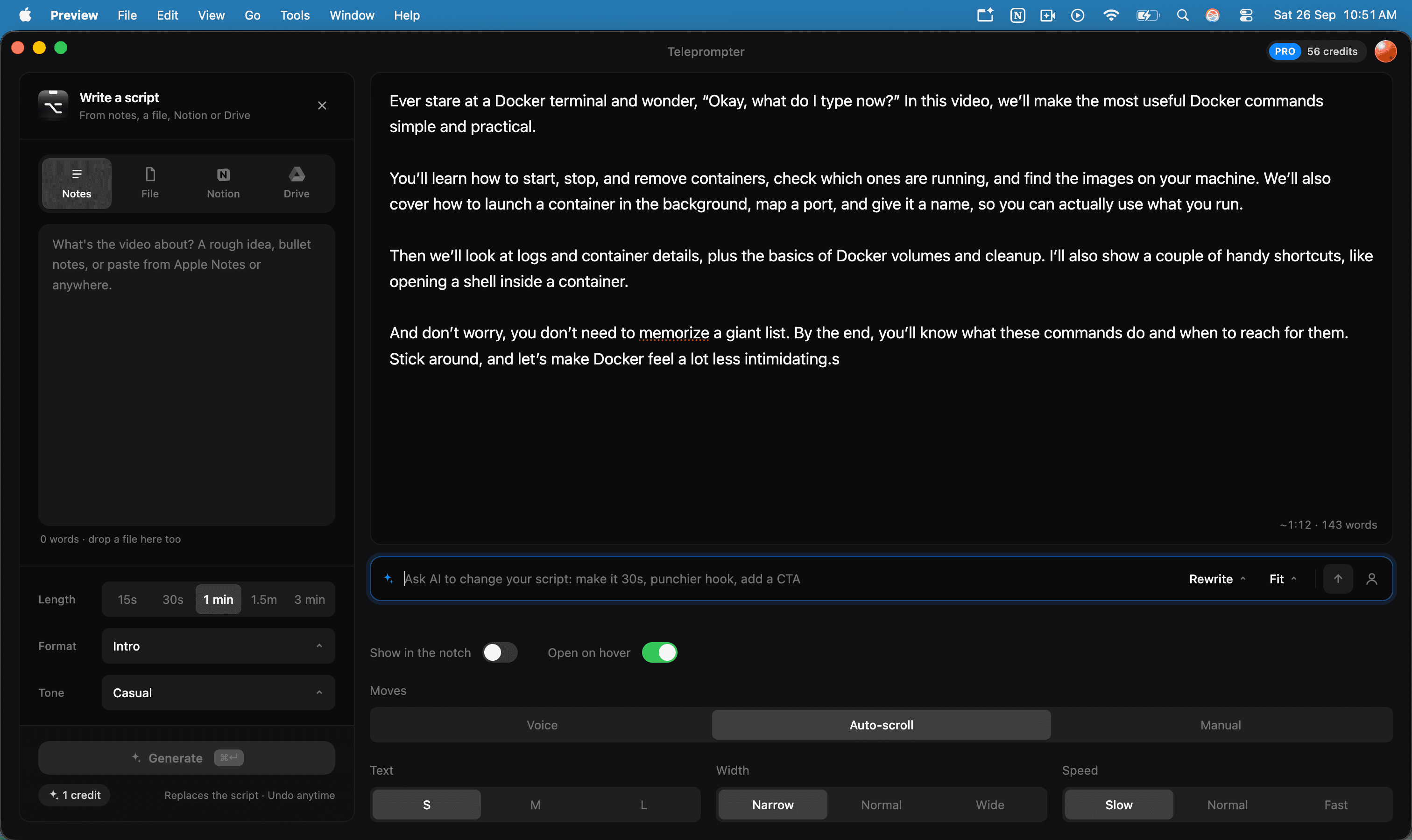
The editor: write a script on the left, the script and AI bar on the right
The editor: write on the left, your script on the right

The prompter.

Notch prompter

Free

A black panel shaped like the notch, at the top center of the screen, right under the camera.
The notch at narrow width
Narrow
The notch at normal width
Normal
The notch at wide width
Wide
  • Above every window, even full-screen apps
  • Hidden from screen share and recordings: Zoom, Meet, OBS, QuickTime
  • Hover to peek, click to keep open, drag to resize
Settings

Free

All in the editor, and they apply in the notch right away.

Moves
Voice (Pro) · Auto-scroll · Manual
Speed
120 · 150 · 180 words a minute
Text
S · M · L
Width
Narrow · Normal · Wide
Height
Drag the notch

Shortcuts

Free

Drive it without touching the mouse, mid-take. They work over any app.

  • ⌃⌥Space to start or pause
  • ⌃⌥↑ and ⌃⌥↓ for the previous or next sentence
  • ⌃⌥A to ask the AI for a change (Pro)

Voice-follow

Pro

It hears which word you're on, highlights it, and scrolls. Stops when you stop.

Voice-follow highlighting the current word, using a Bluetooth headset
Following along through a headset
  • Speech is recognized on your Mac. Audio never leaves it
  • Small ad-libs and skipped lines still line up
  • Microphone: pick one, or leave it on System default to follow macOS
  • AirPods and Bluetooth headsets work, and it keeps going if one connects mid-take

The AI tools.

Pro includes 60 credits a month. A failed call refunds its credit.

AI script generate

Pro · 1 credit, 2 for long notes

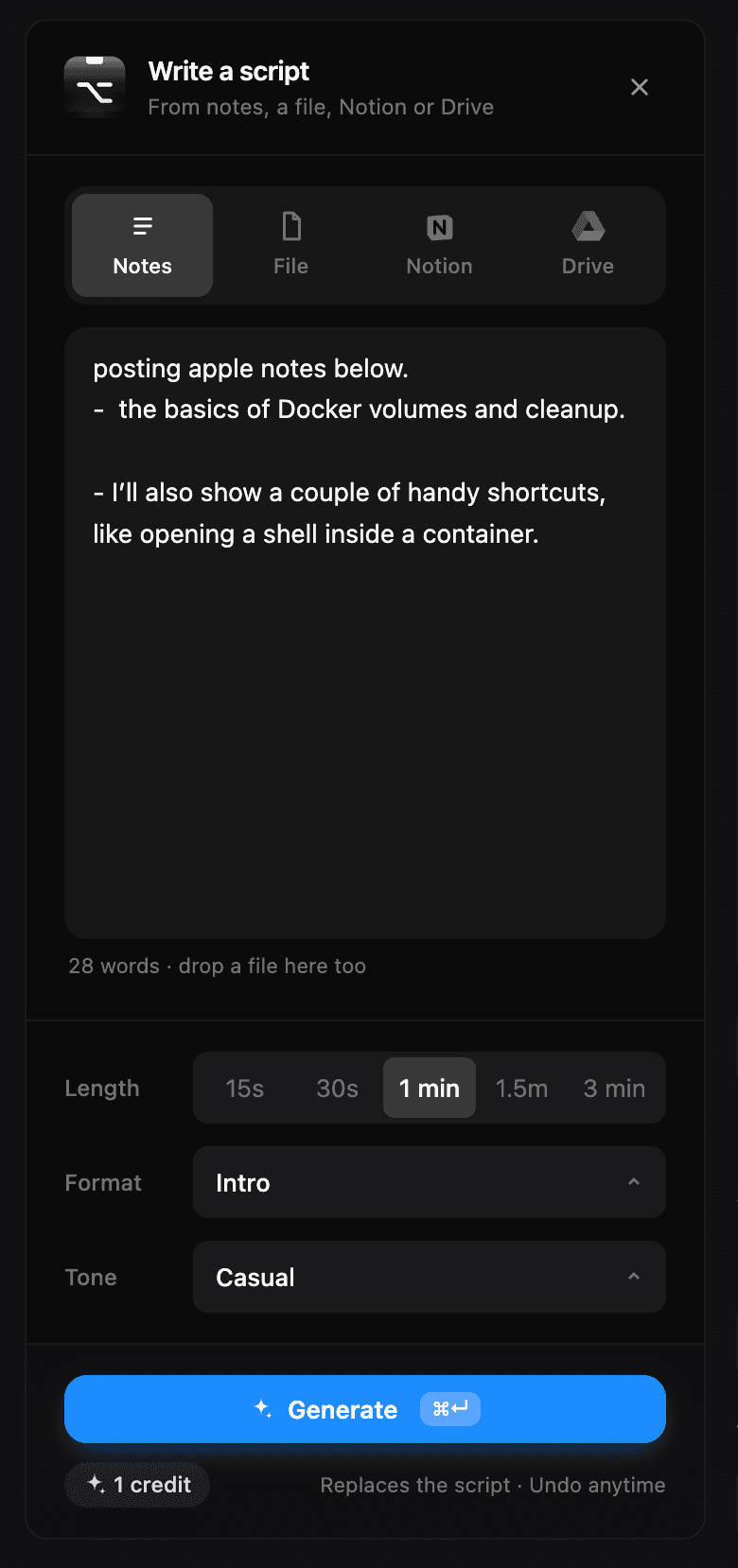
Your notes in, and AI writes a script made to be spoken out.

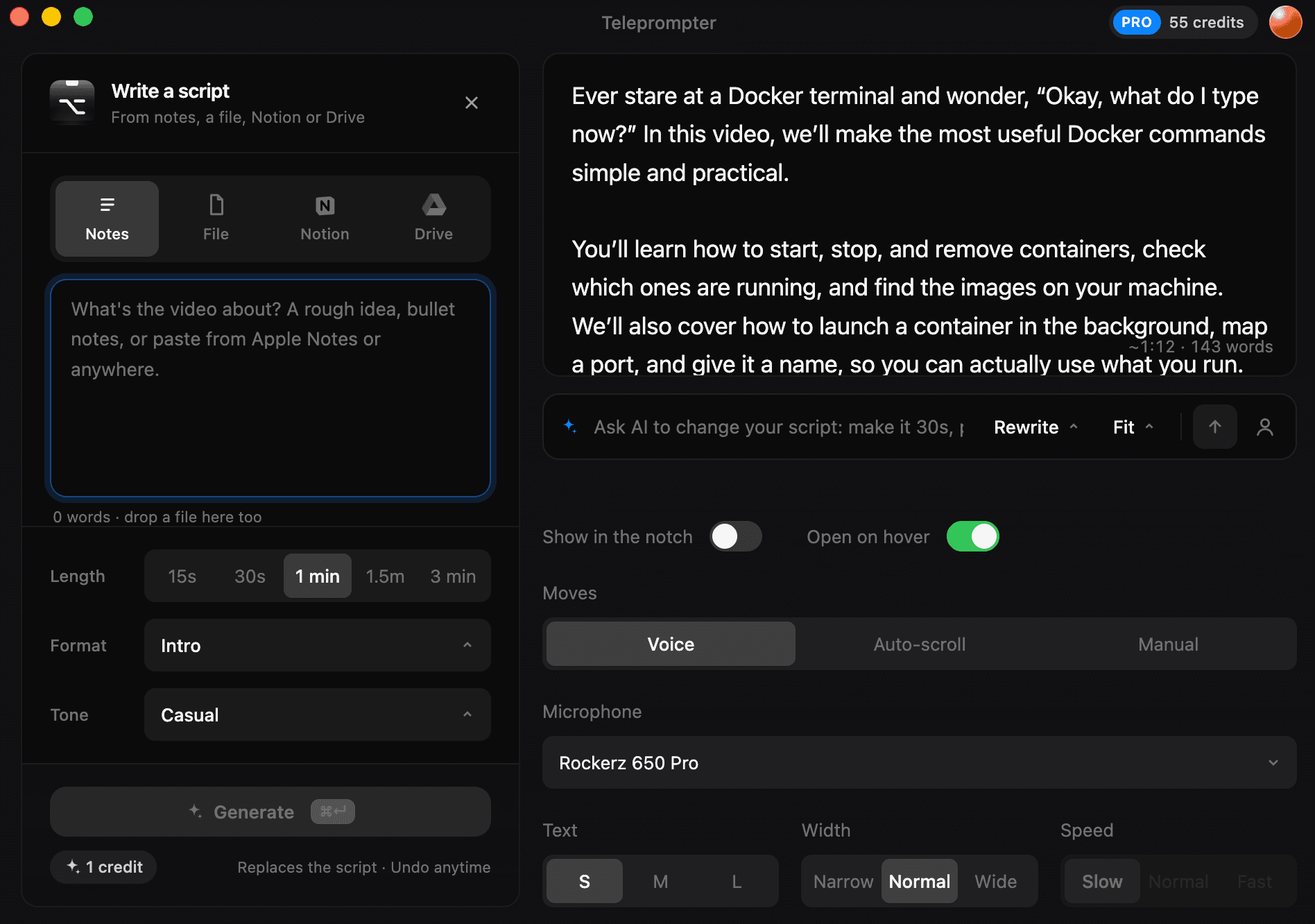
The Write a script panel: notes, length, format and tone
Voice mode, with a Bluetooth microphone picked
  • From a topic, bullet notes or a pasted article
  • 15 seconds to 3 minutes
  • 21 formats: Reels and hooks, YouTube videos, demos and pitches, lessons and talks, toasts
  • 13 tones, from funny and hype to calm and no-fluff

AI spoken rewrite

Pro · 1 credit

AI turns written text into something easy to say, on the whole script or a selection.

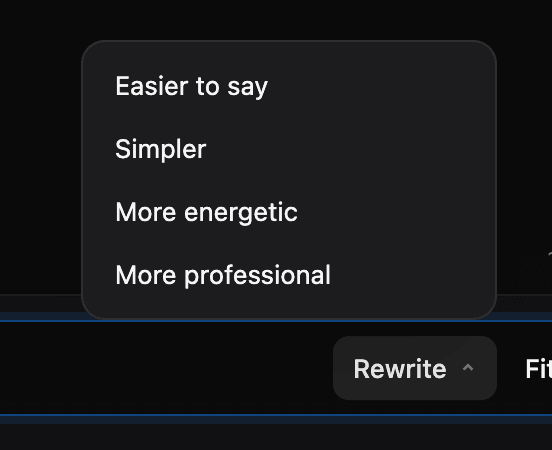
Rewrite options: easier to say, simpler, more energetic, more professional
  • Easier to say, simpler, more energetic, more professional
  • Before and after, then accept or reject

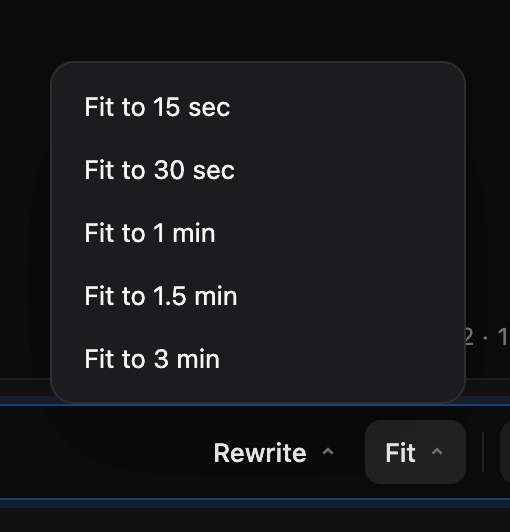
AI fit to time

Pro · 1 credit

AI makes a script the right length and keeps the key points.

Fit to 15 seconds, 30 seconds, 1, 1.5 or 3 minutes
  • 15 seconds, 30, a minute, 90 seconds or 3 minutes
  • A live length estimate in the editor, always free

Ask AI

Pro · 1 credit

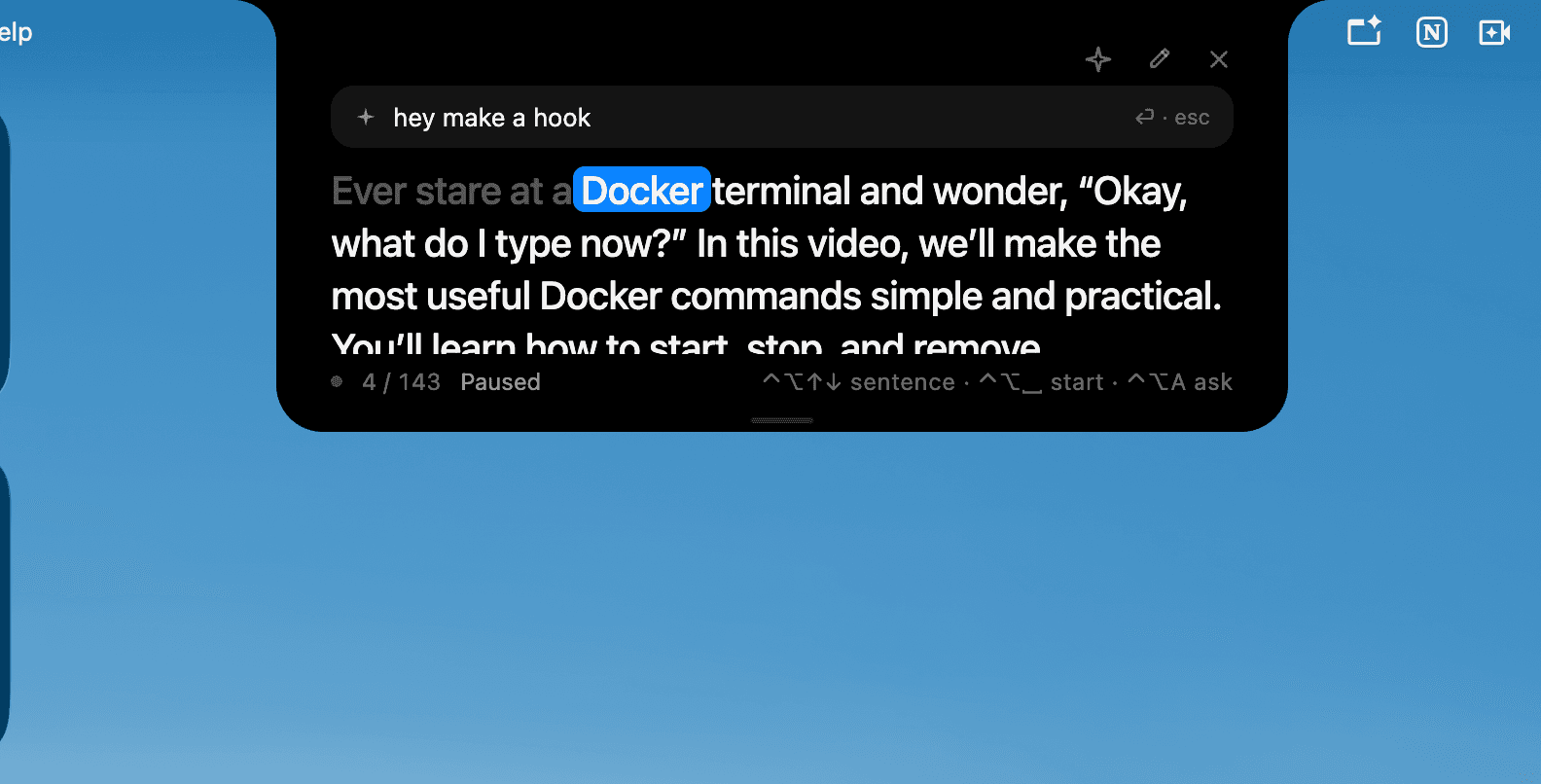
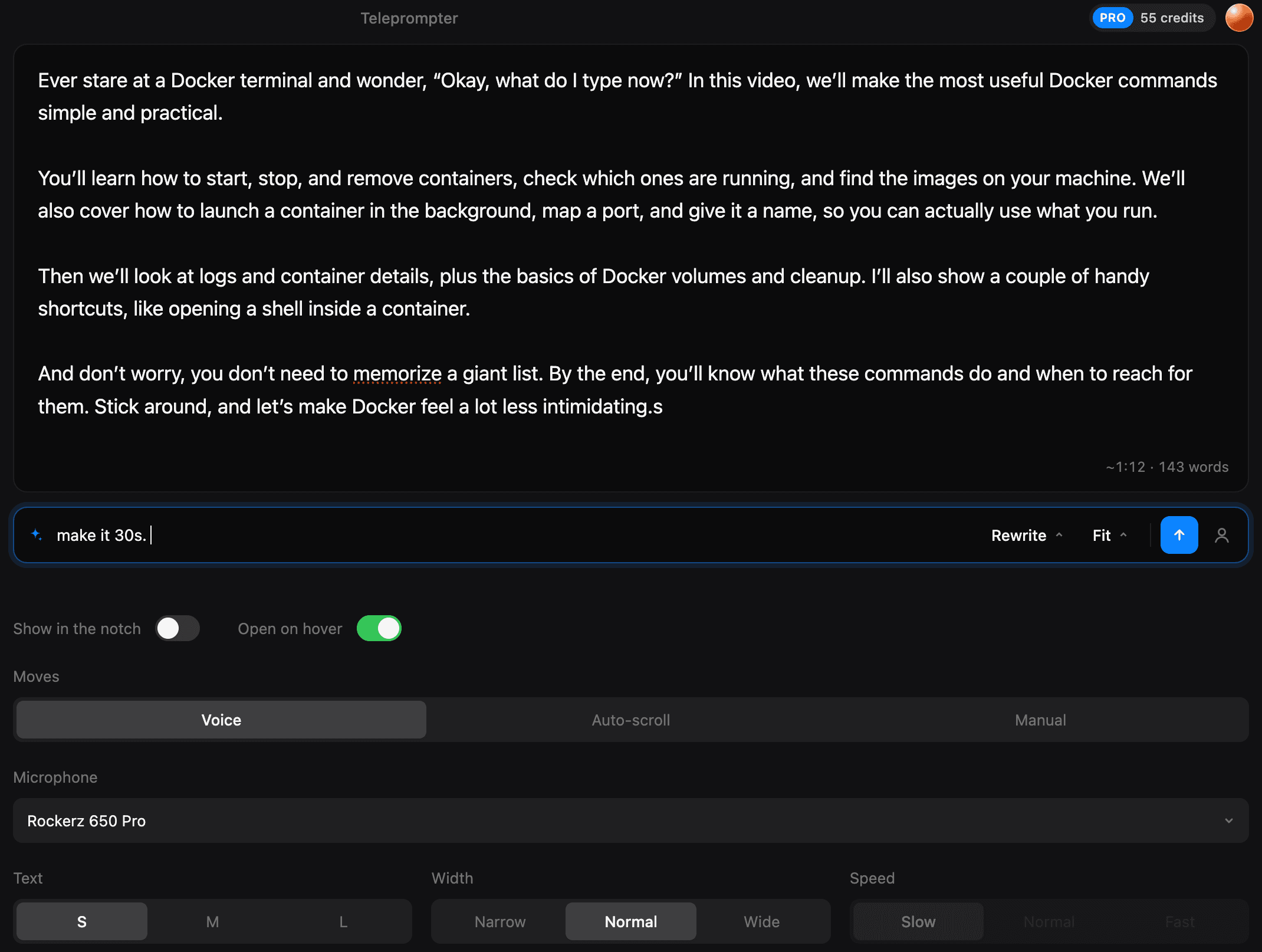
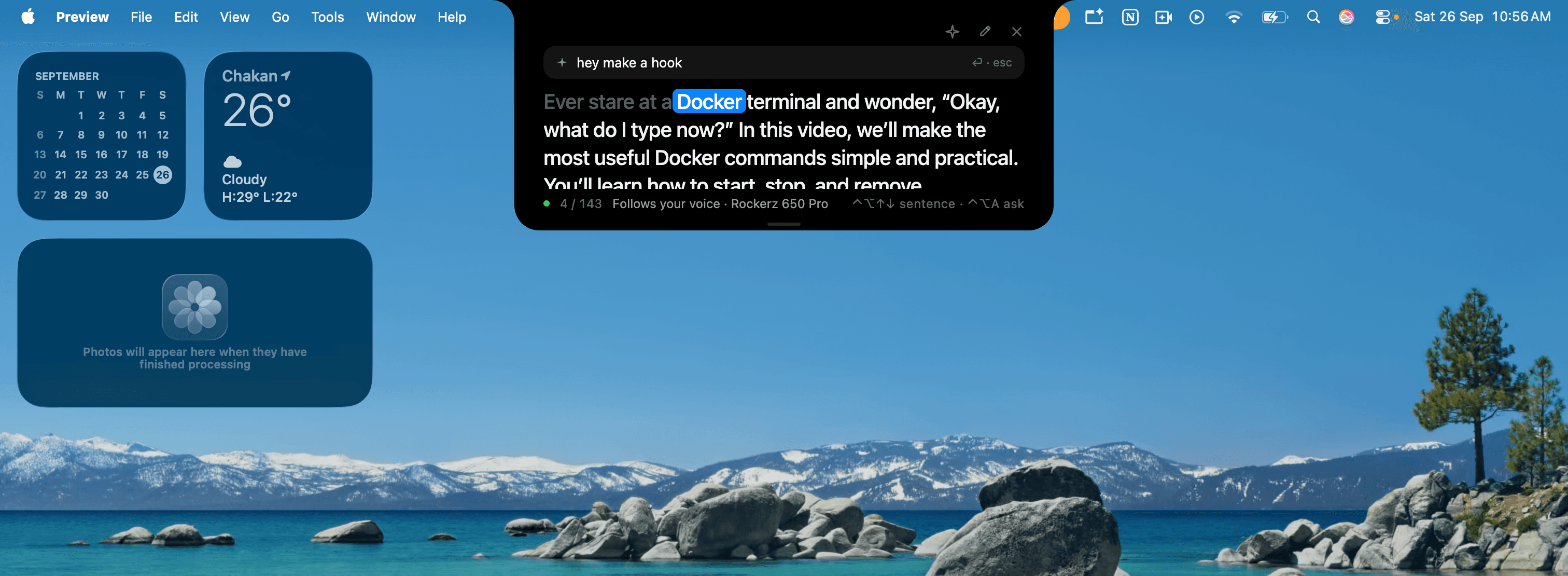
Tell the AI what to change, in the editor or right in the notch.

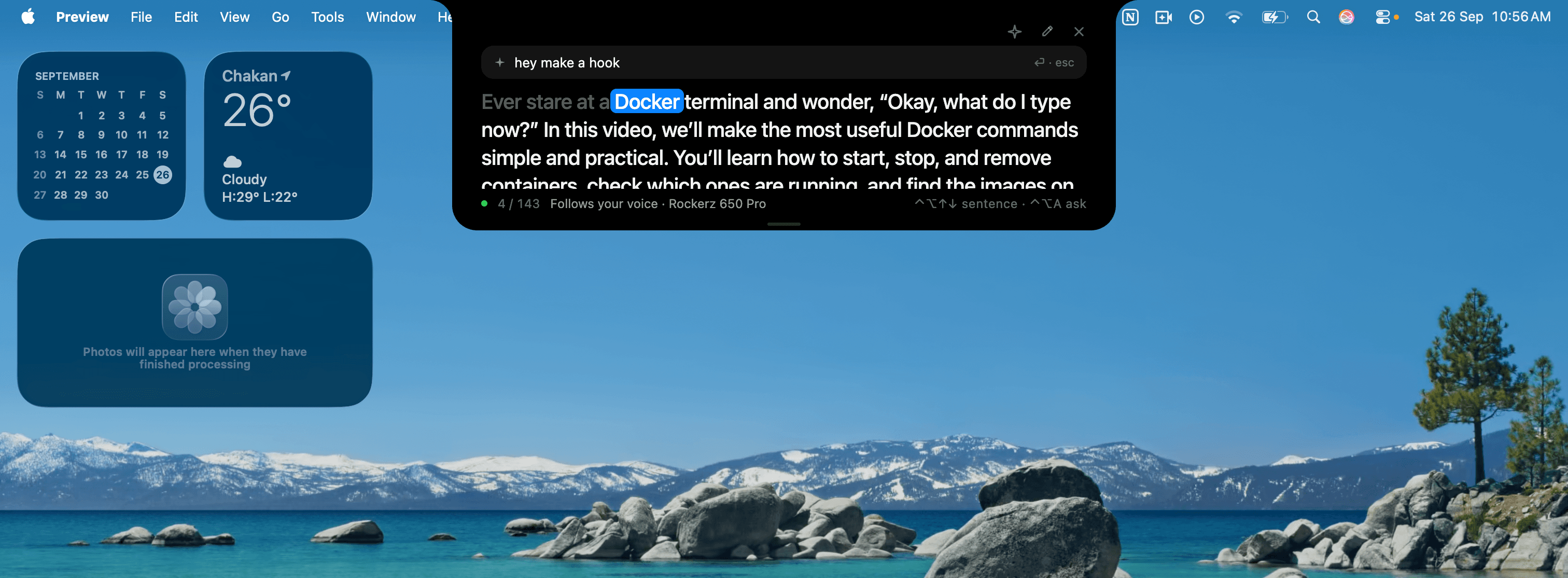
Asking the AI for a hook, right in the notch
In the notch
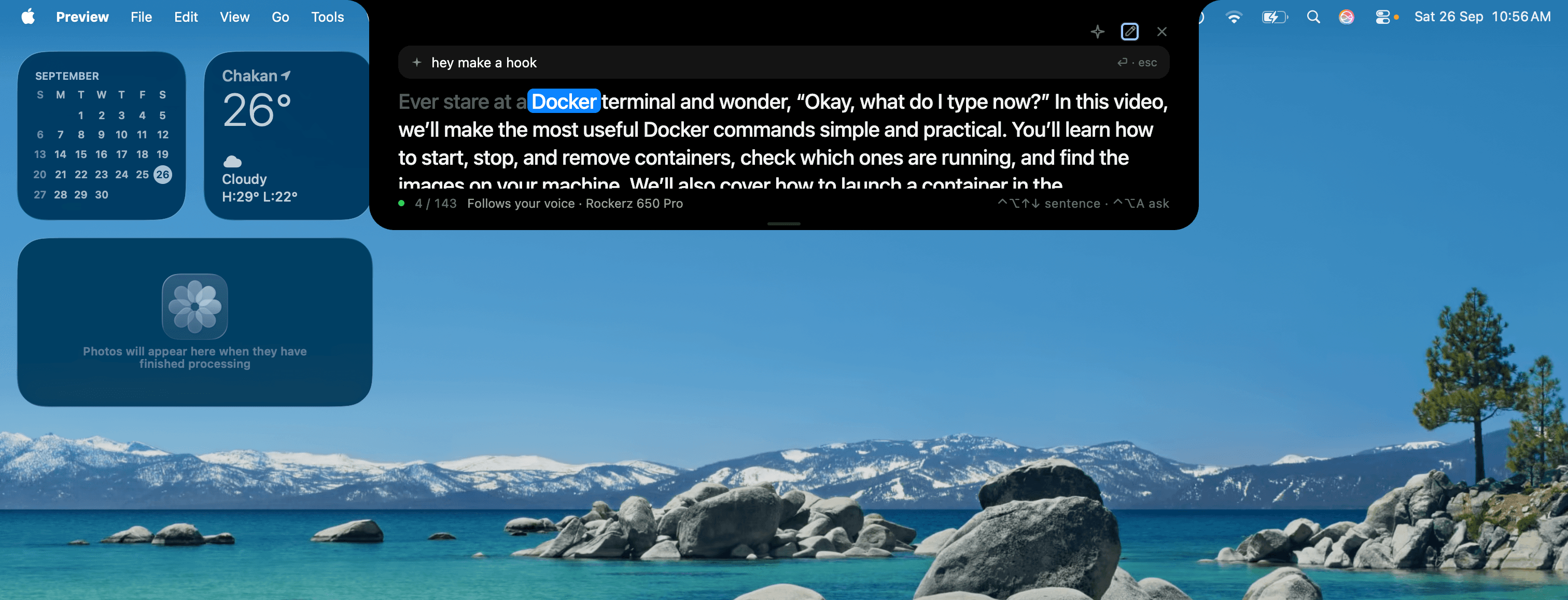
Asking the AI to shorten the script, in the editor
In the editor
  • “Make it 30 seconds”, “punchier hook”, “add a call to action”
  • ⌃⌥A opens it in the notch, over any app

AI Creator Profile

Pro

Tell the AI once who you are. Every AI tool writes like you after that.

  • Your channel, your audience, how you talk, and words you never say
  • Used by generate, rewrite, fit and ask

Undo any AI change

Pro

Nothing changes behind your back.

  • A rewrite shows the before and after, then you accept or reject
  • Any AI change can be undone
  • A failed AI call gives its credit back

Your notes.

Bring what you already wrote. Notion and Google Drive connect over MCP, read-only. Long notes cost 2 credits, since they take more to read.

Notion and Google Drive

Pro · 2 credits

AI writes a script from a Notion page or a Google Doc.

  • Connected over MCP: sign in once on your account page
  • Search and pick a page from the app
  • Read-only: nothing is ever written back

Files and Apple Notes

Pro · 2 credits for long files

Drop in a file, or paste from anywhere, and AI turns it into a script.

  • .txt, .md (Obsidian notes too), .docx and .pdf
  • Read on your Mac, never uploaded to be read
  • Apple Notes: copy and paste

macOS only. English at launch. Sold here, not on the Mac App Store.